Showing posts with label E-Books. Show all posts

Thursday, September 1, 2016

How to Set Up Your Amazon Author Page

My Amazon Author Page at
amazon.com/author/diannebutts
In my July post I wrote:
"Don't have an Amazon author page?! We're going to talk about that next month." 
That would have been August but July got too busy and I didn't get that post done. So let's revisit that idea this month.

I touched on Amazon author pages in my January 2015 post, "25 Free Ways to Market Your Book." (See #2 in that article.) But this month let's go more in depth in how to set up your Amazon author page.


How to Know If an Author has an Amazon Page


When you are looking at books on Amazon, pay attention to the name of the author. Sometimes it's a link. Sometimes it's not. When it is a link, that indicates the author has an Amazon author page set up. Obviously when you click the link, it takes you to the author's page.

When the author's name is not a link, that author has not set up his or her Amazon author page. (Or it's possible they have but that book is not linked to it. If this is the case for you, add that book to your Amazon author page.)


You Must Have a Book on Amazon


Before you may have an Amazon author page, you must have at least one book for sale on Amazon. If you don't, this would be a great time to write an e-book and upload it. See my series of posts "How to Make Your Manuscript Into a Kindle E-book on Amazon (for Free)I posted in February, March, April, and May 2016. (Links are at the bottom of this post.) 

If you have contributed to a compilation book or anthology, such as a Chicken Soup for the Soul book or another independently published compilation, and if it is available on Amazon, that counts and you can create an Author page. (Tweet that! Tweet: If you have contributed to an anthology and it's available on Amazon, you can have an #Author page. Here's how: http://ctt.ec/3OB6b+  ) You may need to contact Amazon and ask them how to set up your page from a compilation. Let me just say...

I set up my Amazon author page about 15 years ago so I don't remember the details of how I did it, and no doubt details have changed. But it should be fairly easy for you to figure out from AuthorCentral.com.

Amazon's Author Central


To get started, go to AuthorCentral.com. Or you can go to your book on Amazon (or other books) and find the small down-pointing arrow next to the author's name which indicates a drop-down menu. Hover over that and you'll see where it asks, "Are you an author? Learn about Author Central."

It's going to take you Amazon's Author Central. This is where you will open your Author Central account with an email address and password.

Once you do that you'll find the "Welcome to Author Central" page with instructions and links to more how-tos. Click the "Help" button in the upper right beside your name to get right to the basics.

Also on this page is "Author Central News" where Amazon posts news and updates about it's programs.

Once you're in your Amazon Author Central account, you can click on four options across the top of the page. Your:
  • Author Page
  • Books
  • Sales Info
  • Customer Reviews.

Click on "Books" to find the books you've authored and connect them to your Amazon author page. Simply click the yellow "Add more books" button, search for you book, and there you go.

The Sales Info tab has sub-menus for your:
  • Sales Rank: Shows each of your books and where they rank on Amazon. This will show green and a rise when you sell a book. That's exciting!
  • Author Rank: Your overall ranking on Amazon. Like a golf score, the lower the number the better. I heard a long time ago if you're under 100,000 that's good. If you're just starting out you won't be that low, but as I've published more e-books that sell regularly I've been in that zone consistently...which is really cool.
  • Nielsen BookScan: Shows when a hard copy of your book sells and in which geographic location. Not all book sales are recorded here since not all bookstores are connected to the Nielsen BookScan. But it gives you a good idea of where sales are taking place. If you advertise in a certain region or hold an author event in a certain location you may see those sales reflected here.
At the Customer Reviews tab you can see all the reviews on your books on Amazon. You can sort them by title, by most recent, etc. It's an easy way to see if you have any new reviews.

Finally, you can click on Author Page and set up many options on your page.


What to Set Up on Your Amazon Author Page


It's pretty easy to figure out what you can do when you get there, but let's just go over what you can set up on your Amazon author page:

Biography

Of course you've seen author's bios on Amazon. This is where the author was able to enter that information. You probably already have a bio you've written for another project (or the back of your book). If not, write one now. 

I think shorter is better. Only a portion will show on your author page before visitors must click to read more. So put the most important info up front. (Tweet that!Tweet: Only a portion of your #AmazonAuthorBio will show on ur #author page so put the most important info up front. More: http://ctt.ec/8o3Cf+) Plan it as if what shows will be all that your readers ever read.

Let your personality shine through. Readers enjoy that.

Whenever you need to update your bio or wish to change it, come back to your Amazon Central account to do so.


Blogs

Are you writing a blog? You can connect it here and your latest posts will automatically show up. Pretty cool huh?

This is a great way to direct your book readers to your blog to read more of what you write. It's also a great way to increase your blog's readership. (Tweet that!) 


Events

Are you planning a booksigning? Putting together a live author event? Attending a writer's conference or book expo? You can enter the location, hours, description of the event, and which book you're featuring here. It's similar to an event on Facebook. (Tweet that!) 

I've used this several times. I have it listed on my "to do" list when setting up an author event. It's hard to gauge whether it brings in a bigger crowd to author events. I wonder how many authors actually use this feature on Amazon ... or even know it's here. If we remember to use this feature perhaps Amazon visitors will become aware of it and check it more often.

Now that I've encouraged you to use this Events feature, I want to also caution you. As authors we should think about our personal security and that of our families and homes before we tell the whole world exactly where we will be and when. (Tweet that!) Of course we want to attract as big a crowd of book buyers as we can. But we need to somehow balance that with not telling burglars we're traveling and our home is empty and waiting for their visit. Women traveling alone may not want to let the world know the details of where they'll be and when. In the current climate in our nation, if your book might be controversial, you might want to be cautious about posting the location and hours of your event.

Have you ever thought about this?

I don't know the answers to this dilemma, but part of the solution might be:
  • Don't post that "we" (your whole family) will be traveling to an event. Say "I" will be there and let people think your strong, armed husband / family is at home guarding the house.
  • Booksignings
  • Don't post your travel plans, such as when you're leaving or arriving. 
  • Don't Instagram yourself in the airport or post elsewhere photos, videos, and comments until after you get back home. 
If you'd like to set up a live author event in a bookstore but don't know how, have no idea where to start, or simply want to hear my tips, experiences, and suggestions, check out my e-book Booksignings.

Author Page URL

When your Author Page is created, Amazon will give you a URL here. You can suggest a change if you want to. Make it easy to remember.  (Tweet that!) 

Copy and paste this URL into a place where it is easy for you to access, such as in a Word document or, better I think, an Excel document where you keep all your links (for each of you books, blogs, etc.).

Also keep it written and handy when you do radio interviews so you can state it easily. Keep it simple so people can remember it. The few times I've done TV interviews I've been asked for information to put at the bottom of the screen as I talk. Your Amazon author page is a one-stop shop for all your books (assuming they're all on Amazon) so let your audience know how to find it.

If you wish, create an easy-to-remember short URL on bitly.com

What will you want to do with this URL? If you need ideas, I'll list some below under "What Can You Do With Your Amazon Author Page?"


Photos

Add your author photo of your smiling face. A book sales expert told me a nice photo creates a "relationship" with the reader. Relationships are key to book sales. (Tweet that!) 

This is the same reason you should have your smiling face on the back cover of every print book you produce and in the back matter of your e-books.


Videos

You cannot put a YouTube video on your Amazon page. Plus, Amazon has a lot of rules for what they do not want you to include in your video. Be sure to review those guidelines before you try putting a video on your site.

To find those guidelines, click "add video." A box will open with basic guidelines including this one:


I'm thinking I shouldn't upload my book trailer videos I've made on Animoto.com because the Animoto logo is embedded at the end. Also not allowed are "comments relating to book reviews and content visible on the Author Page and detail pages" on Amazon.

Amazon states:
You can share video interviews, book signing videos, and other videos with readers. Your videos should focus on specific features of your books or your experience as an author. Uploading Videos
I never thought to take a video at an live author event. I may think about staging that (getting permission first) next time I hold one.

Right now I'm thinking we could just talk to our laptop cameras and tell potential readers interesting information about ourselves or our books, why we wrote it, that sort of thing. We could also "stage" an interview: type the question on a slide for the video then look off camera and answer as if we're answering an interviewer.

How to Create a Video for Your Amazon Page

If you want to create such a video, use your laptop camera. Upload the video to YouTube and edit it.

While you cannot upload a YouTube video to your Amazon author page, you can save it in an Amazon-supported format and then upload it! (Tweet that!) To do that go to your Video Manager on YouTube and click the drop down menu arrow next to "Edit." Choose to save your video to your computer as an MP4 file. MP4 is one of the supported files on Amazon so you can then upload your MP4 file from your computer to your Amazon author page.

(Hmm. Now that I've figured all that out, I may have to try it myself and write a whole post on this topic! Wouldn't that be fun?! I'll work on it when I have time.)


What Can You Do With Your Amazon Author Page?


Here are some ways you can use your Amazon author page URL:
  • in your email signature, 
  • in Tweets, 
  • in an occasional Facebook post,
  • in all your social media bios (Twitter, Facebook, Instagram, etc.).
  • Link to it on your blogs and web sites. 
  • Be sure to put it at the end of your book trailers.
  • Include it on your business cards. 
  • Put it in your guest posts on other blogs and... 
  • your bio at the end of your magazine articles. 
  • Include it in the back matter of every book you write. 
Anywhere you advertise yourself, your books, or your brand, you should include an easy link to your Amazon author page because your page will list all your books that you have available for sale (on Amazon). With one click visitors can go to the detail page of any of your books and purchase it. (Tweet that!)

One More Tip...


If you're writing under a pseudonym, you can also open an Amazon author page for your pseudonym. (Tweet that!) You can do so from your regular author page; you don't need a separate account. But to everyone viewing your pen name page there will be no connection to who you are unless you put it there.
You can manage up to three Author Pages this way, though they will not be associated in any way on Amazon.com.  Managing Your Bibliography


If you haven't yet set up your Amazon author page, or if there are some steps here you haven't yet completed, why not do so today?

Or if your Amazon author page has been set up for a while, why not schedule some time to update your bio, list an upcoming event, add a new photo, connect a new blog, or create a new video?

Sunday, March 1, 2015

Gleaning New Writing Projects from What You've Planted and Harvested in the Past

Gleanings!
This month "Gleanings" is on my mind. There's a reason for that.

On my other blog I've been studying and writing about the "Shemitah." I'm currently reading a nonfiction book about it titled The Mystery of the Shemitah by Jonathan Cahn.

I know what you're thinking: "What the heck is the Shemitah?!"

I'm so glad you ask. The Shemitah is a year-event and also a day-event. The Shemitah is the 7th year in a 7-year cycle on the Jewish/Hebrew calendar. And for those Jewish people following the Old Testament regulations, they let the land rest through the 7th year or the Shemitah year. Just as in the weekly calendar God instructed one day of rest per 7-day week, in the same pattern He instructed them to let the land rest through the seventh year in a 7-year "week" of years, Of course this also meant the people would rest through that year because they did not work the land. But they still had to eat, right?

What do they eat? Whatever grew. On its own. The gleanings.

They still had to do some work because they had to go out and gather the gleanings, but they do not work the land and all the land belongs to all the people to glean wherever they want to.

The whole Shemitah is really an exercise in faith. The Jewish people had to believe that God would provide for them during that year...and the next until they planted and another harvest came in.

The last day of the Shemitah year is also an event. At the end of this day, all the debts are forgiven. It's a national financial re-set. Whoever owes money is set free from that debt. And whoever is owed money releases it. It's an object lesson of how the Lord God releases the sin-debt of those who trust in Him and He gives us rest. The word shemitah translated means "the Lord's release."

Did you know we are currently living in a Shemitah year? As a matter of fact, because the Jewish calendar begins in the fall of the year (last September) we are almost half way through the Shemitah year, which will end Sunday, September 13, 2015. The exact mid-point of this Shemitah year is March 20th, so it seems appropriate to talk about the Shemitah and gleanings this month. (Plus, I only just now thought about applying this to my writing.)

Gleanings for Writers


Okay, I know what you're thinking: "Enough with the Bible lesson. What does that have to do with us as writers?"

My study of the Shemitah caused "gleanings" to be on my mind. Suddenly I realized I already am gleaning in my writing. (Tweet that!) But it also gave me an awesome idea to glean another project from my past writing. (Tweet that!) Let me explain, and then we'll toss around some ideas for how you might glean new writing projects from what you've already planted and harvested in the past. (Tweet that!)

Turn Gleanings into E-Books


How to Get Published
When I thought about gleaning in my writing, I realized I already am gleaning with my series of "Getting Published" e-books I'm releasing. You've already seen two of my titles that have released.

Glean from a Pamphlet

The first e-book I made, "How to Get Published," was gleaned from a pamphlet I wrote back in 2003, printed on 11 x 17 paper, folded as multi-page pamphlets, and sold at writers conferences. I  took the same information, updated it, and released it as a Kindle book last year. It continues to sell well on Kindle.

only $.99
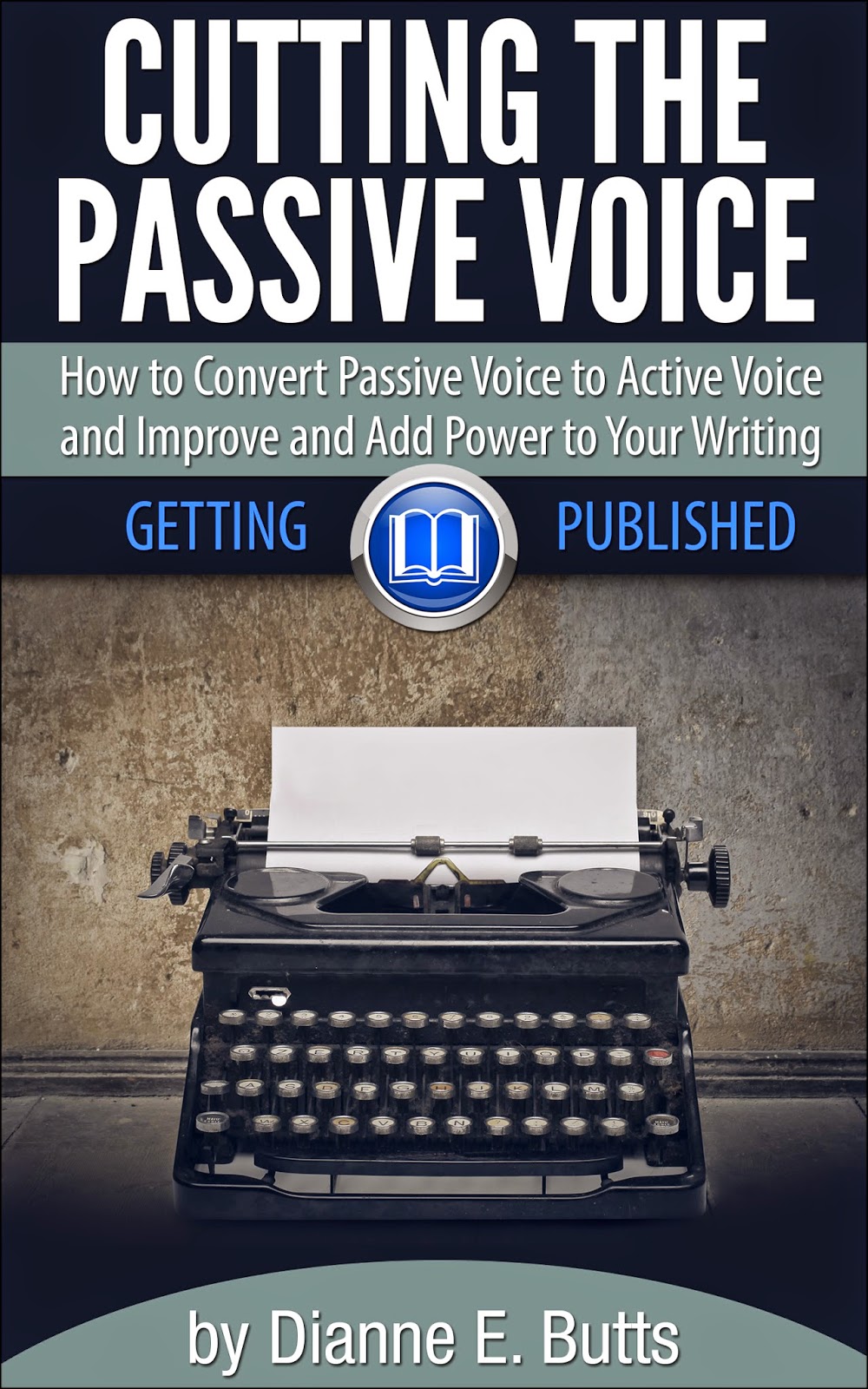
Cutting the Passive Voice

Glean from an Article

The second e-book, "Cutting the Passive Voice," came out a few months ago. The information for this little Kindle book was gleaned from an article I wrote back in the '90s. It was published a few times in small Christian writer's magazines. It's still good and helpful information and I wanted to share it with more writers and make it available to a much larger audience. I still owned all the rights to it, so I renewed and refreshed it, added a little more information, and formatted it into a Kindle book. It's been selling quite well since its release, which is exciting and encourages me to do more.

Glean from a Workshop You Teach

You may remember I ask through a survey which e-book you'd like me to create next and I gave three options. Here are the results so far:

  • Ten Tools for Marketing Your Book - 83% of votes
  • The Shape of Story: How to Shape your Novel's Story to Make a Great Screenplay - 17% of votes
  • Query Letters: How to Write the Query (and Cover) Letter You Dread to Magazine Editors and Book Publishers - 8% of votes

You can vote for more than one which is why they add up to more than 100%.

For the first two I will glean material from workshops I teach on those topics. The project on Query Letters I will glean from another pamphlet I wrote back in 2003.

Book Signings
Pre-Order now!

Glean from a Blog

While I waited for the survey results to come it, I've been working on another e-book. Book Signings: How to Set Up Your In-Store Author Event and What to Do While You're There! contains a ton of information I gleaned from three different posts on this blog.

While the material is already available for free here on the blog, I feel there's value in gathering it all together into one product for easy access instead of the reader having to hop around searching on this blog. Besides, I'm sure there are a lot of readers who don't even realize this information is available here so they don't know to go searching for it. Plus, readers can keep the e-book handy on their e-reader for easy reference when needed. Furthermore, I believe the e-book will reach a whole new audience of authors who can use the information but who don't even know about this blog. Therefore it may even bring new readers to the blog.

This e-book isn't completely ready to go at this date, but it is available for pre-order right now. That means you can order it and you will receive it as soon as it releases.

What has me especially excited right now is that while I was thinking about the Shemitah, and while I suddenly thought to apply "gleanings" to my writing, I realized I have a TON of information on my other blog about the Shemitah, the current tetrad of lunar eclipses (being called the "Blood Moons"), the 7 Feasts of the Lord on which these eclipses are falling, the solar eclipse on March 20 at the mid-point of the Shemitah year, and so much more along with the spiritual and prophetic meaning of it all. Again, all this information is spattered through many posts over the past year on my Bible Prophecies Fulfilled blog. So why not gather all of that information into an e-book?!

Again, this is a ton of writing and research I have already completed. I can organize all this information for easy reading in one place so readers can find it easily and keep it on their e-reader for easy access. I can reach a whole new audience. This will give me another income stream. And I can bring readers to my blog who don't know about it right now. Why didn't I think of this e-book before?! You can bet I'll be at work on it to get it out as soon as I can.

What Do You Have to Glean?

So the question for you is, what material do you have that's already written that you could re-purpose into a Kindle e-book and share with the world? (Tweet that!) And it doesn't have to be material that has already been published. What about that project of your heart that never got published? You can make your material available on platforms other than Kindle through Smashwords.com. I learned how to format for Kindle by printing out their instructions. It's not that hard. In fact, I put those printed instructions in page-protectors and in a small notebook and I refer to them and walk through them step by step whenever I'm making a new Kindle book.

Turn Gleanings into Videos


If you follow my other blog, you saw in my December posts that I created videos for my posts for the Christmas Advent season.

What material can you glean that you can turn into videos? You can take your writing material and tell it to your laptop's camera, edit it on YouTube.com, and upload it to YouTube. Then you can share that video on your blog, your web site, on Facebook, and probably other places I haven't thought of.

When you say it in video, you reach an entirely new audience. Many people don't want to read. They want to see and hear. So glean material from your books, articles, blogs, and more and make a video. Even if you're only reading your article or a section of a book!

I've been asked to make some of my Bible Prophecy Fulfilled blog posts into videos by just reading them. I haven't got that far yet but I'd like to. That way busy people can hear me read my own blog posts while they are busily doing something else.

It works. It's a whole new audience. What material do you have that would make a great video or series of short videos?

Turn Gleanings into Articles


Perhaps all writers have an abundance of material we've gathered and researched for writing projects. What work have you already done that you can glean articles from?

Or, can you take some material you've put into articles and create other material from it, such as an e-book or series of blog posts?

Can you take your fiction and make it into a series of short stories for your blog or a series of short e-books? (Tweet that!)

Turn Gleanings into Books and More


We've talked about gleaning material you've written and creating e-books. But what about print books? Do you have an abundance of material you can gather together and have enough for a print book? (Tweet that!)

You could add more material, if you want. Update it. Freshen it.

What can you add? Maybe add an appendix, list, or chart. For my new Book Signings e-book I added a list I use when preparing for an in-a-bookstore book signing. That list is material that I haven't published before. It's not on this blog. So it's added value to the e-book.

For the e-book on the Blood Moons and all that related information, I think I'll add a Leader's Guide to the back of the book. That will be new material I will need to create, but it will help readers share the incredibly important information in the book. It will make it easier to lead a discussion with a group of interested people.

Maybe you can glean from stories you've written and use them to create a screenplay or take your nonfiction and make a documentary. The ideas truly are endless.

Renew and Release


Take a fresh look at the material you've already produced. Take a special look at the unpublished material you've created that has never found a home to be published in. Review it. Glean from it. Renew and refresh it. Reuse it. Re-purpose it. Then release it to accomplish that purpose for which it was created.

May your gleanings of new writing projects from what you've already planted and harvested in the past provide you with an abundant blessing of new products, new readers benefiting from your work, and new income streams!

Thursday, January 1, 2015

25 Free Ways to Market Your Book

Morguefile.com
One question I get frequently from many writers and authors is, "Now that I have my new book out [or have one coming out], what is the best way for me to market it?" As a matter of fact, I got this very question via Twitter this past month which inspired this blog post. The short answer is, "Any way you can." A better answer might be, "Any way you can that works well with your personality, your schedule, your gifts, etc." But still, we need specific ways to market our books, don't we? It's not that hard. I quickly brainstormed 25 ways to market your book online for free.

Marketing is all about getting information about your book out there -- and not just once but time after time after time. The truth is, your book is just one of millions. So you must let people -- as many as possible -- know about your book, what it's about, and why they need it. (Tweet that!) Face it, nobody can buy your book if they don't know it exists. Furthermore, most buyers need to hear of a product multiple times before they buy it. (Tweet that!)

Now, with the internet and social media, we can get our names and book titles and information about our books out there more easily than previous generations of writers. There are a lot of opinions about how much and how often we should promote. I think generally the consensus is to market as much as you can without being obnoxious. But then opinions vary widely on what's obnoxious.

I recommend you work through this list and use all the ideas here that work for you. Don't try to do them all at once. Schedule time each week to work on something here. (Tweet that!) Don't fall into the trap of thinking you must do everything. (Tweet that!) Then brainstorm your own list and work through those. Return to both this list and your own frequently because many of these can be ongoing.

Without further ado, here are 25 free ways to market your book (Tweet that!):

1. Landing Page

This may be the only thing on this list that is required. The first thing you need is a place to send people. You can Tweet links and post links on Facebook and do all sorts of stuff, but if you don't have a set place where potential book buyers can go to get more information they want and, most importantly, purchase your book, it's all for nothing. Set up a web site, a blog page, on online store, or an Amazon author page (See #2!), or all of the above, where people can purchase your book. Then with everything you do, share a one-click link to this page or site.

2. Amazon Author Page

In order to have an author page on Amazon, you must have a book available for sale on Amazon. Even if you're a contributor to a book, such as a Chicken Soup book or have contributed a chapter or a story to a collection, you can claim that and get your author page.

If you don't have any of these, get your book on Amazon. The one-time fee is not that much. (It was $25 a dozen years ago when I did it.) If your book isn't ready yet, create a Kindle e-book, publish it through Kindle Direct Publishing, and get your author page.

Every author who has a book on Amazon should have their author page set up. I'm amazed at how many don't. Go to your book's page (or any book's page) on Amazon. Hover your mouse over the author's name (that should be a link) and a box should open. The bottom line of that little box asks, "Are you an author? Learn about Author Central." That last part is a link. Click that and it will take you to Amazon's Author Central where you can open your account (you simply create a user name and password) and then you can enter information about yourself and your book including your bio, your blog and Twitter feeds, upload a book video, and more.

For an example, here's mine: Dianne's Amazon Author Page.

Grab the link to your Amazon author page and use it in Facebook and LinkedIn posts and Tweets. Post it on your web site and blog. Add it to your email signature. Use it as a landing page and send potential book buyers there.

3. Blog

A blog is a monster that needs regular, continual feedings, so make sure you can keep it up before you start one. When you do, set up a page with info about your book(s), your book covers, and links to your Landing page or Amazon author page. For an example, here is one of my book pages on one of my blogs: Dianne's Prophecy Fulfilled Books.

Blog on a topic similar to your book, but don't use material from your book. (See #20 about writing articles for more on that.)

Please make sure you enable the Facebook, Twitter, Pinterest, and Google+ share buttons at the bottom of each blog post so visitors can share your interesting posts with their contacts. Not much is more frustrating for me than to want to support other authors by sharing their materials and they've given me no easy way to do so. Yes, I can copy the url and paste it into a Tweet, but I'm busy and I no longer have the time to do that sort of thing. Furthermore, if I'm reading your post on my phone or Kindle, doing all that is such a hassle I'm just not going to anymore. So you just lost sharing your wonderful post with all of my contacts. Bummer. Don't let that be you!

4. Facebook 

There are Facebook "profiles" for individuals and then there are "pages" for businesses and organizations. Create a "page" for yourself as an author and then ask people to "follow" your page by Liking it.

Be aware that there are new rules for promoting your book on Facebook as of January 1, 2015. Here is an article about that by agent Janet Kobobel Grant of Books & Such Literary Management: What You Need to Know about Facebook’s Latest Revamp.

5. Twitter 

If you're not on Twitter, you need to be. I get most of my interaction through Twitter. I let thousands of people know about my blog and my books via Twitter. If you need help with Twitter, check out my post "Making the Most of Using Twitter." Especially pay attention to the three parts needed for a great Tweet -- your message, a hashtag, and a link -- and make sure you have those in every Tweet! For your link you're going to need someplace to link to. (See #1!)

6. World Literary Cafe

The World Literary Cafe has an amazing number of ways authors can help each other out, including ways to build up your Twitter followers and gain Facebook page Likes. (Tweet that!) Check it out!

They also offer to send your Tweet that markets your book out to their large number of Twitter followers! That's a great way to market your book! To find that look for their "Tweet Teams" page. You'll have to learn the formula they want, write your own Tweet, and wait your turn for your Tweet to go out, but it's worth it!

7. Goodreads 

You can do a ton of stuff for your book on Goodreads, including free giveaways which gets your book on the radar of thousands of readers, send posts to your followers, and much more. Learn more in my post "Discovering Goodreads."

8. Google+

If you haven't yet, you might join Google+. I did this past year and I'll confess I don't know a bunch about using it yet, but I do post all of my blog posts to Google+ (using the share button at the bottom of my blog post) and I know that brings me more blog readers, which in turn gets my books before their eyes. And that's the whole point: getting yourself known so people will want to know more about you ... and then they'll find your books.

9. LinkedIn

I notice more traffic to my blog posts (and therefore seeing my book covers) when I post a notice to LinkedIn. Sometimes that post is a comment about one of my books (with, of course, a link such as a link to the book on Amazon). To consistently send a post to LinkedIn I use a free account with Hootsuite.com to schedule posts to post automatically in the future. I try to post something interesting once a day or at least a couple times a week.

10. Pinterest

On Pinterest you can pin your book covers from online stores, like Amazon, or wherever your books are found. Also pin any articles or guest blog posts you write, author interviews, and posts from your own blog. Create a pin anytime you or your book appears online. Also create boards on topics of your book and pin articles your readers will find interesting.

You can also pin to other people's boards if they allow it. There are boards such as Christian Authors and Christian Nonfiction and Christian Web Sites, so I also pin there whenever I have an appropriate pin.

Note that in order to pin an article with Pinterest it must have an image (photo) with it. This is why you should always, always, always use a photo with every blog post and online article you write.

11. Instagram

This past weekend I heard a tech guy on a radio show state that for the first time the number of Instagram users has now passed that of Twitter. Guess I'd better join Instagram!

I did a quick search the other day and found some articles on how authors can use Instagram to market their books. You might try the same.

I know that IG, like Pinterest, requires a photo for each post. I haven't joined yet because I just couldn't figure out what to take photos of to post, and I didn't know how to make it benefit my marketing efforts (not that it's all about marketing, but at least part of it is). Interestingly only yesterday I saw a photo on Facebook from a friend who is enduring chemotherapy. She posted a photo of her Bible open to where she had a note card with a name and the caption explained she had committed to praying for a friend during each of her 28 chemo treatments. This photo was first shared on Instagram with that awesome message and then sent to Facebook from there. Ah. Now I'm starting to get it!

12. Maximize SEO

Learn about "search engine optimization" and then optimize everything you do online. Use your book title(s) and keywords in your blog titles, your YouTube video titles, guest posts, articles, etc. You can learn more about SEO in this post: "7 Keys to (SEO-Successful) Blog Posts."

13. YouTube

I recently learned how to make and edit YouTube videos. I made a dozen of them for the Christmas Advent season for my Bible Prophecies Fulfilled blog. It's not that hard. If I can do it, you can do it. Think of the book-marketing videos you can make! From book trailers to teaching videos about the topics of your books which you can post on your web site or blog (as a vlog = video blog).

My friend author Linda Evans Shepherd makes lots of videos for her chapters in her books.

14. Make a Book Trailer 

You can use YouTube to make a book trailer and then post it on Facebook and your web site. You can embed your video on your blog in a vlog (video blog) post or in a sidebar (that stays permanently on the side of your blog). You can post a  book trailer on Goodreads. You can send the link out regularly in a Tweet.

You can also make a 30 second book trailer for free at Animoto.com. Learn more about that in my post: "Make Your Own Book Trailer - Easy and Free!"

One thing you can no longer do is post your YouTube video on your Amazon page. I don't know why, but Amazon doesn't accept YouTube videos any longer. So you'll have to create a book trailer with a different program for Amazon. I know that Amazon will take a .mov file and you can make those if you're willing to pay a subscription to Animoto, but you can't make a .mov video through the free account.

15. Hold a booksigning 

This is an in-person event where you can go out and meet people and tell them about your book. I've blogged about how to set this up and what to do when you're there in these posts:
Would anyone like all this information on how to hold an in-store book signing in an e-book? I'm sure I could fill an e-book with info on that!

16. Schedule a Facebook Event

Whether you have an in-person book signing event coming up or just want to create some kind of an online special event to market your book, you can post or even host the event on Facebook. On Facebook, go to your author page. Then click on "Events." Then click "Create Event" and fill in the information.

I have two events scheduled you can look at as examples. They might give you ideas. Also, I'd be pleased if you "joined" these events by clicking "Going" and then also "share" them and invite your friends.

17. Create E-books

It may sound a bit crazy but another way you can market your books is to create e-books. You can create them on related topics of your existing books or entirely different topics. But you can use them to market your existing books by putting an ad about your books at the end of your e-book. On some e-book platforms, such as Amazon's Kindle, you can even include links to your other books on Amazon.

If you make your e-book exclusive to Amazon's Kindle, Amazon gives you certain privileges such as creating free book giveaways or countdown sales, as well as making your book available in the lending library (where you get paid for each library borrow).

However you can forgo those privileges and also publish your e-book on other platforms. I've been looking into Smashwords and hope to get around to trying it soon.

Speaking of e-books, have you seen the series of e-books for writers I'm publishing? The first was How to Get Published for beginning writers. A few weeks ago the second in the series released: Cutting the Passive Voice for only 99 cents. I'm thinking about my next e-book for writers and I have several I could choose from including one based on my workshop "Ten Tools for Marketing Your Book." Please visit my survey to let me know which new e-book you'd like to have next: Dianne's One-Question Survey! 

You can keep up with all my e-books for writers by visiting Dianne's Amazon Author Page. Also watch that page for when a coming book is available for pre-release sales. You can also sign up for e-mails from Amazon when I release a new book.

18. Acquire Amazon book reviews

I recently learned that if you get 100 reviews, Amazon will begin featuring your book. It doesn't seem to matter how many stars each reviewer gives, so don't worry if you get less than 5-star reviews.

While a great marketing tool for your book is reviews, I'm not sure how to get that many of them. I wish I had more reviews for all of my books. The one thing I do know is that we shouldn't solicit them. For example it's not proper to promise a free copy of your book in exchange for a review. That's like buying reviews and is frowned upon. You can give free review copies, but there should be no obligation to write a review, much less a positive or 5-star review. Perhaps the best way to accumulate reviews is to simply ask for them? If you know of a good way to get Amazon reviews, please share it with us as a comment below. Thanks.

When you do get a nice review, you can also use it elsewhere -- on your web site or blog's book page or in your email signature -- for book marketing purposes.

19. Regularly offer your expertise and help

While we are always trying to get the word out about our books so people will buy them, one way to market is to offer something to your readers without expecting anything back. I enjoy offering help to writers through this blog. And I'm pretty sure you don't mind when I occasionally mention one of my products. Build up good will with your followers and readers, and then they will champion you to their contacts. Offering something of value, like information, without always "selling" also helps us to not always sounds like we're just saying "buy my book buy my book"!

20. Write print articles

Back before internet days, pretty much all we had to read was magazines, books, and junk mail. Then it was common for writers to write articles for print magazines. Now there's so much we do online we can forget there are still print magazines out there that we can write for.

You can write an article on the same or similar topic as your book. Be careful not to use too much material in your book. Most publishing contracts restrict how much you can give away. Why would people buy your book if you're giving the same information away for free? Even if you published your book yourself you might follow the same principal for the same reason.

An example of this is my Bible Prophecies Fulfilled blog. I'm blogging on the same topic as my "Prophecies Fulfilled" series, but I'm not using any of the information from my books. If readers like what they're reading on my blog, they'll get more similar material when they buy my books.

Even if your article is on a topic completely unrelated to your book, you can still market your book through it by including your title and/or web site url (See #1!) in your bio at the end of the article (if the magazine allows or uses one).

As long as you still own the rights to your article, after it's published you can reshaped or repurpose the article as a blog post or even an e-book. My most recent e-book, Cutting the Passive Voice, was originally a magazine article from 1996. I made it into an inexpensive e-book so I could share this helpful information with many more writers for only $. 99.

As a bonus, most of the time you get paid for writing print articles.

21. Write a Guest Blog Post

Seek out other bloggers who are interested in your topic and see if they would like a guest blog post. Many bloggers take guest posts. Some just need an occasional break from blogging to take a vacation or meet a deadline. So if you have an idea for a guest post that fits the blog, let the blogger know your idea and politely ask if they would like the post from you. Most will then give you a link to your landing page (See #1!) or allow you to mention your book. Not all bloggers want guest posts so don't feel hurt if they say no.

You might also trade guest posts with other bloggers, allowing them to guest on your blog. Some bloggers create "blog hops" and other events. Doing so can gain you readers from their blog and gain them readers from your blog, which helps you both. And that's the point! Getting your name and book information out to ever more people is the name of the game.

22. Co-op with other authors

Working together to market each other's books and cross-promote each other can multiply your efforts. Some organizations are created just for this purpose. You might be able to find a group to join or gather some author friends and start your own.

23. Create a newsletter

You can build up a mailing list with a newsletter. People who subscribe will be interested in you and what you have to offer, so the likelihood of them being interested in your book is increased. And of course you can always mention your book and give a link to it (See #1!) in every issue.

I've recently renewed my former newsletter from a few years ago. I'm now using MailChimp,com which is free until I reach a certain number of subscribers. You may have encountered a pop-up subscription box when you came here. If not, find the subscribe box in the upper right corner of this blog and please subscribe! I usually send out a newsletter once a month.

24. Create a survey

Create an interesting survey that will spark interest about your book or its topic or give you opportunities to talk about your book. I used Survey Monkey to create my one-question survey about which e-book writers would like me to write next: Which E-Book For Writers Would You Want Next? Would you please click there and let me know what your vote is? Thanks!

25. Create a pretty poster

A fun and creative way to let people know about your book is to create a lovely poster with an inspiring or important message or quotation from your book. Be sure to include your book's title as the source. You can also add a url in the corner of the poster. (See #1!)

You can then post your creation on Facebook, Twitter, your blog, and web site. Ask your friends to share it via their social media outlets too.

I've used Pick Monkey to create some of these. You can read more about this and find other resources for this purpose here: "Create Your Own Text on Images for Your Blogs and Marketing Your Books."


There you have it. There are 25 free ways to market your book. (Tweet that!)

Let these 25 free ways to market your book be just a starting place. Use your imagination and brainstorm more. I'm sure you can come up with many, and surely some of them will be unique for you and your personality. When you come up with an idea that can benefit others, please share it in the comments section below. Happy book marketing!

Monday, December 1, 2014

Keep Your Eye on the Ball: One Sentence that Can Elevate Your Writing to New Heights

I'm a football fan. Are you? For this analogy, pretty much any sport will do. I love to watch professional and college football in the fall and winter. My husband is a big baseball fan. One thing I've notice over and over again is that if a ball player does not keep his or her eye on the ball (or puck or whatever), they are not going to catch that pass or hit that ball out of the park.

You've got to keep your eye on the ball. Look it all the way in – to your arms to catch that pass, or to your mitt to catch that ball, or to your bat to get that hit.

When a player misses a catch or swings and misses, watch the replay. Watch his or her eyes. Most of the time, their eyes leave the ball before it gets there. They are already thinking about what they are going to do once they get the ball and their eyes betray that thought. They begin to take that action, but… They don't actually have the ball yet. And so they drop the ball, or don't catch it, or don't make contact. Consequently they never get to make the move they had planned out in their head.

It's all about focus.

How do you fix it? Sometimes it's a great idea to go back to basics. In fact, I don't think we get back to basics nearly often enough. If we could remind ourselves of lessons learned in the past more often, we'd probably do much better in the now.

All of this applies to writing. One of the best things I learned about writing very early in my career in a writing class I took was about "Thesis Statements." (Tweet that!) I don't hear much about thesis statements any more. But they have not lost their importance, so let's talk about a good thesis sentence.

It might be a common thought (I'm not sure. You can check me on this one.) that thesis statements are most often thought of for nonfiction writing, especially, for example, the essay. But I think writers who create a thesis statement for whatever they are writing, whether it's for a nonfiction book, or even if it's for fiction whether short stories, books, or screenplays, come out with a much stronger piece of writing. (Tweet that!)

Because the term "thesis statement" often causes people's eyes to glaze over, I sometimes call them "focus statements." More recently the term "a one-sentence" has cropped up with the advent of "one-pages." (Tweet that!)

What is a Thesis Statement?


A thesis or focus statement is stating the single main idea that you want to communicate through your nonfiction article, book, or fictional story in one sentence.

It is a specific sentence, not a vague one. It is a complete sentence, not a word or phrase.

Not: We should all create a thesis statement.

But: When writers created a thesis statement or focus sentence, their writing becomes more focused, better communicates what they set out to say, and leaves concrete thoughts for their audience.

A good thesis statement limits your content to communicating only what is relevant in this piece of writing. A thesis statement not only gives the idea of what you're going to write about, but also hints at your position on the topic as well as your purpose in writing.

Nailing Down a Thesis Statement


Sometimes a writer knows exactly what he or she wants to say and can state it right off the bat (pun intended). I think this is a talent, and for writers who have that talent I think it is one many writers don't know they possess.

For me, more often than not I have to write and rewrite and brainstorm and toss out and re-do a thesis or focus statement before I find it. This, for me, is pure agony. (Tweet that!) But when I finally find it, it's that sweet feeling just like you get when you hit the ball with the sweet spot on the bat and you know you just knocked it out of the park. (Tweet that!)

For some of you reading this I suspect you think that's crazy. What do you mean you don't know what your thesis statement is? Don't you know what you want to write about?!

I know. It sounds crazy to me too. Writing a thesis statement has always been a bit of a mystery for me. (Tweet that!) I should know what I want to write about, shouldn't I? I should know what I want to say. I guess the way I'd try to explain it would be to say that ideas are vague. They float around in the air and refuse to be captured. They are elusive. And so I can't capture a solid idea until I nail it down. And I can't nail it down until I get it on paper.

It's a struggle for me. So if this comes easy to you, you're one of the lucky ones.

What To Do With a Thesis Statement 


Thesis Statements for Nonfiction Writers


When I'm writing nonfiction, especially a short piece like an article, most of the time the thesis statement will fit into the article somewhere close to the beginning. It's part of introducing the idea of the article.

It's possible for a thesis statement to come more toward the end of an article, probably as part of the wrap-up, but that's rare. I can't think of a time that worked for me.

For nonfiction book writers, the thesis of the book most probably fits at the beginning of the book as the subject is introduced. But the nonfiction book writer then has much more work to do, because there would also be a thesis statement for each chapter in the book. That's one thesis statement for the overall book and a separate thesis statement for each chapter.

Even though I've been writing for over twenty-five years now, I have to confess that to this day at times I still forget to write a thesis statement. I blame part of this on the fact that it is not a natural thing for me to do. That's because I still think I should know what I'm writing about and what I want to say when I start writing, right? So for me to have to stop and figure out what it is I really want to say or what I'm really trying to say still feel crazy to me. But I can tell you this: If I will remember, and stop, and go back to basics, and write a thesis statement, then my writing becomes much easier! Then I know what I'm trying to say. I've nailed it down. And I can say it. In words. On paper.

After that agonizing exercise, I can then spend my time writing and fleshing out and explaining to the reader why that statement is important and relevant to them.

So what do you do with your thesis statement? After figuring it out, after writing it down, then print it out and tape it to your computer monitor so it is right there in front of you all the time. Keep your eye on your thesis. This will help you focus. It will help you stay on track. You'll instinctively know when you're headed down a rabbit trail and you can get back on track. This will save you writing time, effort, and many unusable words. (Tweet that!)

When the time and place is appropriate, you can stick your thesis statement into your writing so that your reader will know exactly what you're saying, what you're doing, and where you're going. That's a great place to be, and after that you'll most likely knock it out of the park!

Thesis Statements for Fiction Writers


Most of the time I've heard thesis statements discussed (which is pretty rare, actually), the discussion has been for or about nonfiction writers. But I believe this same principal applies to fictions writers also, whether you're writing a short story, a novel, or a screenplay.

Every story has a thesis. (Or it should.) Even though it's fiction, it's still going somewhere. It still has a message. A story without a message is just a bunch of happenings with no meaning.

And if you try to put too much into your story, then you're trying to cover too much and the true meaning of what you want to communicate gets muddled and lost.

So if you're a fiction writer, I would still encourage you to perform this exercise of writing a thesis or focus statement for your story. (Unlike for nonfiction writers, I don't believe you need a separate thesis statement for every chapter because your story is one cohesive whole, unlike a nonfiction book where each chapter speaks to a different aspect of the whole.)

Here, I think we can take a lesson from screenwriters. When writing a screenplay, screenwriters are often required to also write a "logline." In my mind, this is pretty much the same thing as a thesis or focus statement.

A logline is a one-sentence summary of the story. It's what you see on your TV guide that describes the movie or episode.

It is a complete sentence. It doesn't need to name your characters but it does need to give an idea of who the main character is, the journey she is on, the story problem that needs solved, and hint at the resolution. (That's probably not a comprehensive idea of how to write a logline. But it's a start.) Here's my attempt at an example. See if you can figure out what story it is for:

A lonely Kansas farm girl is whisked away by a twister to a fantasy land and must find her way back home.

Again, for you fiction writers, write your focus statement out and tape it to your monitor as your work. Unlike nonfiction writers who would include it in their written piece, your focus statement may never actually appear in words. However it will keep you on track to tell your story. It will keep you from chasing rabbits. It will help you focus on the story you're trying to tell and will keep all other thoughts from creeping in and muddling your main, focused idea. You'll come out with a much more cohesive story.

Thesis Statements are Different from Topics, Themes, and Tag Lines


To help define a thesis statement, it's helpful to know it is not a "topic," a "theme," or a "tag line."

A topic and a theme are most often a single word or a simple phrase.

These are topics:
  • Homelessness
  • Domestic Abuse


These are themes:
  • Love conquers all.
  • Hope never dies.


A tag line for screenwriters is not the same as a logline. A logline is the term used for a one-sentence summary of the story that an employee at a production company used to log in a script when it arrived in the mail. (Not sure that's done much anymore because we don't mail scripts much anymore, but that's where the term came from.) A "tag line" is what goes on the movie poster.

This is a tag line:
  • Every man dies. Not every man truly lives. (Braveheart)


Again, a thesis statement or a focus sentence, like a logline, is always a complete sentence.

What To Do With Those Rabbit Trails


I know what you're thinking. You're thinking about all those wonderful thoughts, ideas, story threads, characters, etc. that you discover along the way of writing that don't fit within your thesis statement. What about those? What should we do with those? Surely we don't just take all those wonderful ideas and throw them away! No, of course not.

You are likely to have many "left overs" (post Thanksgiving Day pun intended). Don't dismiss or throw those away. They are so wonderful and useful. Just because they don't fit (according to your thesis statement) into what you're currently writing doesn't mean you can't use them.

Here are some ideas of what you can do with what doesn't fit:

For nonfiction writers: 
  • Use them for a sidebar to accompany your main article. 
  • Use them for an additional article. 
  • Possibly make a series of related articles.

For fiction writers: 
  • Use those ideas for a sequel* or a prequel.* 
  • Use them for another story in a series.* 
  • Or use them in another story all together. As I was developing one story I want to write, I had one scene in my head that I loved but it just didn't seem to fit. I lifted that scene out of my story and guess what? I built a completely different, unrelated story out of that scene.


*A sequel follows a story. A prequel predates a story. A series is the same related story with the same characters but doesn't require following the first story; stories in a series can be read in any order.

More Help


If you're able to write what you believe is your thesis statement right off the bat, that's great. But don't be afraid to work with it, massage it, refine it. You might come out with a deeper thesis that takes your writing to another level.

If you're like me and struggle to nail down that thesis statement, then understand that often it emerges with the writing, thinking, and brainstorming. This means I might be constantly rewriting and refining my thesis statement well into the writing process. Still, I push to nail my thesis as early as possible because having that statement clearly expressed in concrete terms guides everything else. So having my statement nailed down can save me a lot of wasted work of writing what is not on target.

As with your larger writing of articles, chapters, books, and screenplays, when it comes to your thesis statement: Rewrite. Revise. Repeat.

When you finally hit that thesis statement that is what you're really trying to say, you'll know it when you nail it.


Now, if I could just remember to write a thesis statement or focus sentence every time I begin developing an article, book, or story. I'd rather forget about it and avoid it, because for me it's such hard work. But when I do it, everything after is so much easier. I guess I need to type out "Write a Thesis Statement!" and tape that to my monitor. Or perhaps tattoo it on my forehead.


SPECIAL ANNOUNCEMENT: 

Another Helpful Back-To-Basics Technique


I'm very excited to let you know that I have a new e-book coming out on Kindle! It is titled Cutting the Passive Voice: How to Convert Passive Voice to Active Voice to Improve and Add Power to Your Writing.

Cutting the Passive Voice: How to Convert Passive Voice to Active Voice to Improve and Add Power to Your Writing
Book 2 in the
"Getting Published" series
If you remember my article “Cutting the Passive Voice,” which was originally published in 1996 and was reprinted several times and that I used as a handout in some of my workshops, that is the basis for this little e-book. I added to it and fleshed it about a bit more. I added a few more exercises.

I wanted to make this information accessible to many more people, so I'm making it into a small e-book that costs only $ .99. I can reach a much larger audience and get this helpful information to many more writers with an e-book on platforms like Amazon.com. However I'm keeping it inexpensive so there will be absolutely no barrier for anyone who needs it to get it.

As we're talking about "back to basics," this is a great technique to use as you edit, revise, and refine your writing (both fiction and nonfiction). I go through my manuscripts searching out the passive voice as one of my final revisions. I can't tell you how much this will improve your writing.

Using passive voice is a natural way most writers write. I see it over and over again in beginning and advanced writers. If you don't recognize passive voice, you won't know how to change it. But I can testify from personal experience that if you cut most of the passive voice in your writing, people will notice! They won't know what you have done, but they will notice your writing is more lively, fun, and exciting.

Cutting the Passive Voice e-book is not for English majors who already know what passive voice is and what to do about it. This is a guide for the rest of us.

This little e-book not only explains in easy-to-understand layman's terms what passive voice is, it gives you several easy ways to change it into active voice that brings your writing alive.

Trust me. This will be the best .99 cents you every spent on your writing.

Cutting the Passive Voice is scheduled to release on December 17, 2014, but you can pre-order it right now. It will then be delivered to your Kindle device (or computer with the free Kindle reader) as soon as it releases. So order now! And please invite your writing friends to check it out as well. (Tweet that!)

"Getting Published" series:


Writer, Will You Go Anywhere God Calls You? The Problem IS the Path to the Solution

Thanks to Pixabay.com Warning: This post is for Christians only.You can read it if you want to, but don't get mad if it's too re...